 the agent office
Why we built The Agent Office
We will start with an honest confession: The Agent Office started with laziness.
We wanted to get as much work done as possible, and we wanted to do as little of the typing as we could. That is not a noble origin story, but it is the true one.
The thing we kept noticing
AI coding agents were already good enough to take real work. So we did what everyone does: we opened one, gave it a task, and watched it go. Then we opened a second one for the next task, and a third.
Soon we were looking at other engineers working this way, and at ourselves. Several terminals. Several VS Code windows, each with its own tabs. Everyone switching between them, checking which one was waiting, which one was stuck, which one had finished ten minutes ago without anyone noticing.
It looked very boring. It also looked like a lot of work for people who were supposed to be getting help.
What was missing
The agents were not the problem. The place we kept them in was.
A terminal tab does not know which ticket it belongs to. A pile of windows does not tell you what needs your attention. And when an agent finishes, the result is stuck in a scrollback instead of sitting where your team already looks for finished work.
We wanted three things:
- Every agent tied to one ticket, so you always know what it is for.
- A way to see all of them at a glance, instead of hunting through windows.
- The result delivered where the work was asked for, not left in a terminal.
What it does today
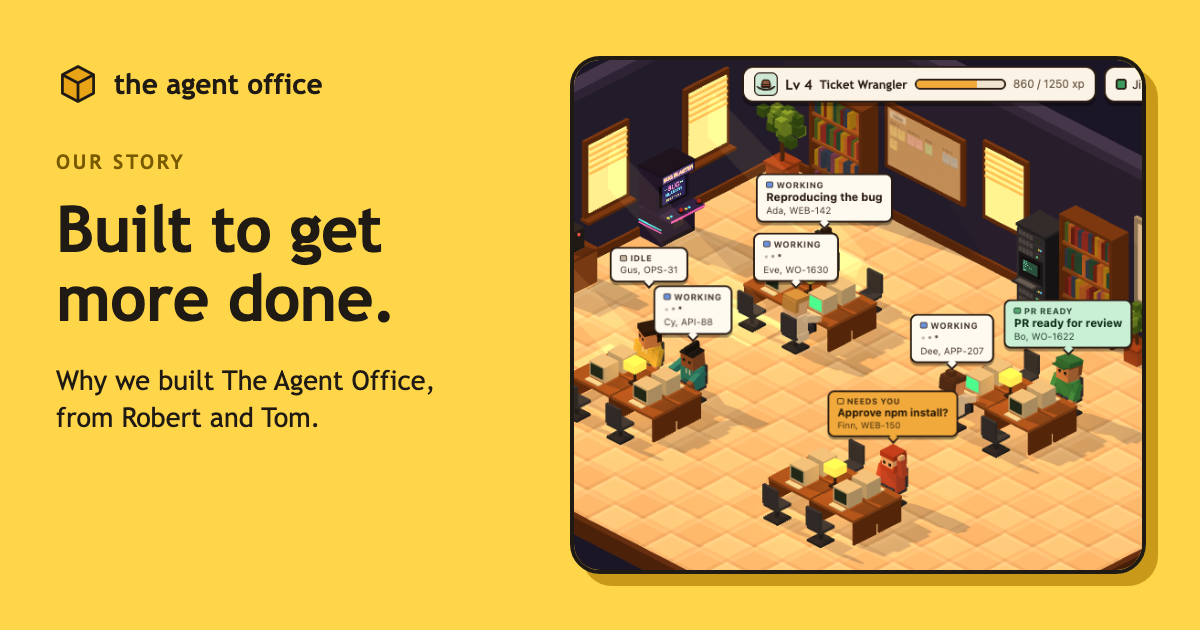
The Agent Office puts a coding agent on each ticket. Connect your tracker (Jira, Linear, 8090 or GitHub Issues), or just type what you want done, and your tickets show up on an office board. Click one and hire a worker for it.
Each worker gets its own copy of the code and its own branch, so agents do not step on each other. It writes a plan first, then works on the ticket. When it is done, you get a pull request and a short summary back on the ticket.
It runs on your own machine. Your code and tickets stay on your Mac. Everything the office keeps stays on your machine, and your agents talk to their own AI services the same way they do in your terminal. See our privacy policy for the details.
If you want the step-by-step, we wrote it up in Put a Claude Code agent on every Linear issue.
What we believe about working with agents
We know many teams are curious about AI agents and a bit cautious too. We are cautious as well, so here is what we believe, and what we built around it.
You stay in charge. Pushes, installs and deletes wait for your approval. An agent does not get to quietly do something you would not have wanted. There is an auto mode that approves everything, but it is off until you turn it on.
An agent is a teammate who needs a clear task. Small, well-described tickets get good results. Vague ones do not. Agents did not remove the need to write good tickets, and we do not think they will.
Review still matters. The agent hands you a pull request, not a finished decision. A person looks at it, and a person merges it.
Less switching, more deciding. The part of the job we want to keep is deciding what to build and whether the result is right. The part we are happy to hand off is the queue of small, clear tasks.
What is next
We are building The Agent Office for builders, and we want your feedback to shape what comes next. What you tell us about what works, what does not and what is missing goes straight into our backlog.
Try it
The quickest way to see whether this fits your team is to try it on one small ticket. Install it with the command below, connect your tracker or type a task, and hire a worker for something you have been putting off.
We would like to hear how it goes, whether that is good or bad. You can reach us at hello@theagentoffice.app.
Tom and Robert