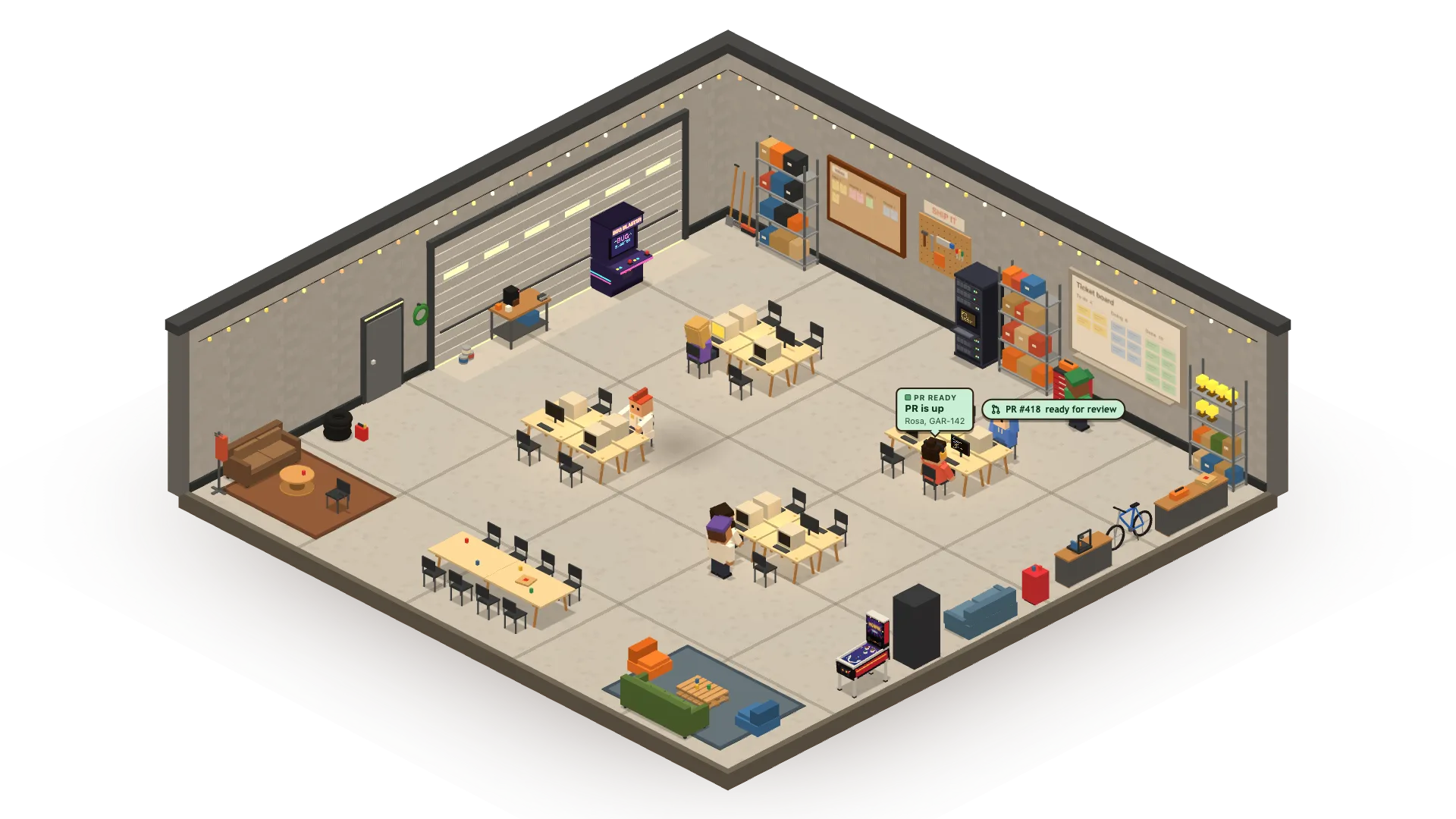
Congrats, you’re the manager. Your agents do the work.

Pull your work tasks, put an agent on each one, and manage them all from a single office, on your Mac or your phone.

  • MANY AGENTS, WORKING IN PARALLEL
  • 10X THE WORK, SAME YOU
  • TICKET IN, PR OUT
  • YOU GUIDE, THEY SHIP

Download for Mac

Also for Linux (x64): AppImage · .deb · All downloads

Download for Linux

Also as a .deb for Ubuntu and Debian, or for Mac · All downloads

Download for Windows

For Windows 11, through WSL · All downloads

The Agent Office needs a Mac with Apple Silicon (M1 or later). All downloads

Get it on your Mac or Linux computer. · Remote control for your phone · All downloads

For Apple Silicon Macs and 64-bit Linux, with a coding agent installed. On Windows? Install with WSL

how it works

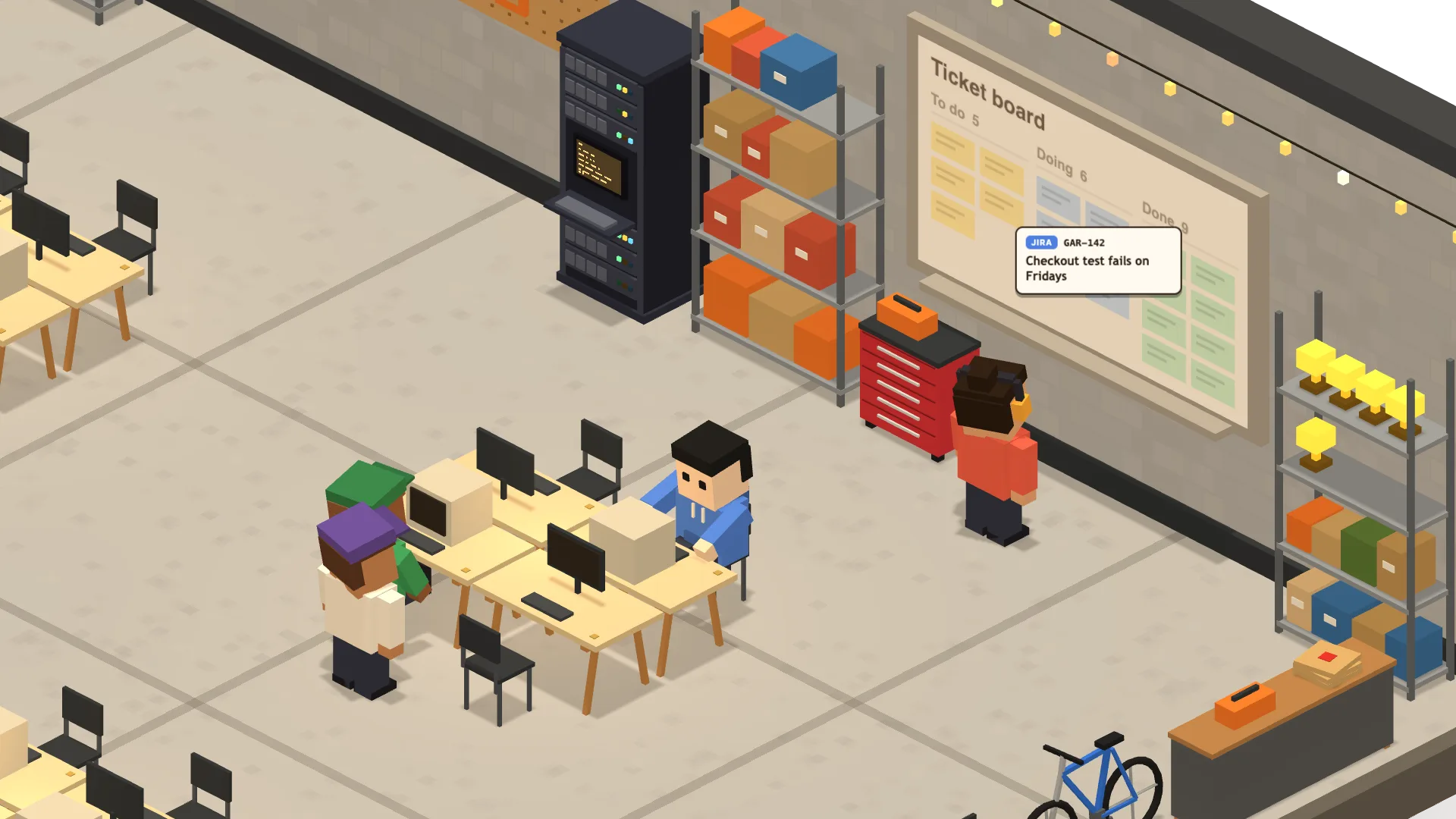
  1. 1/6

    Hire a worker for a ticket.

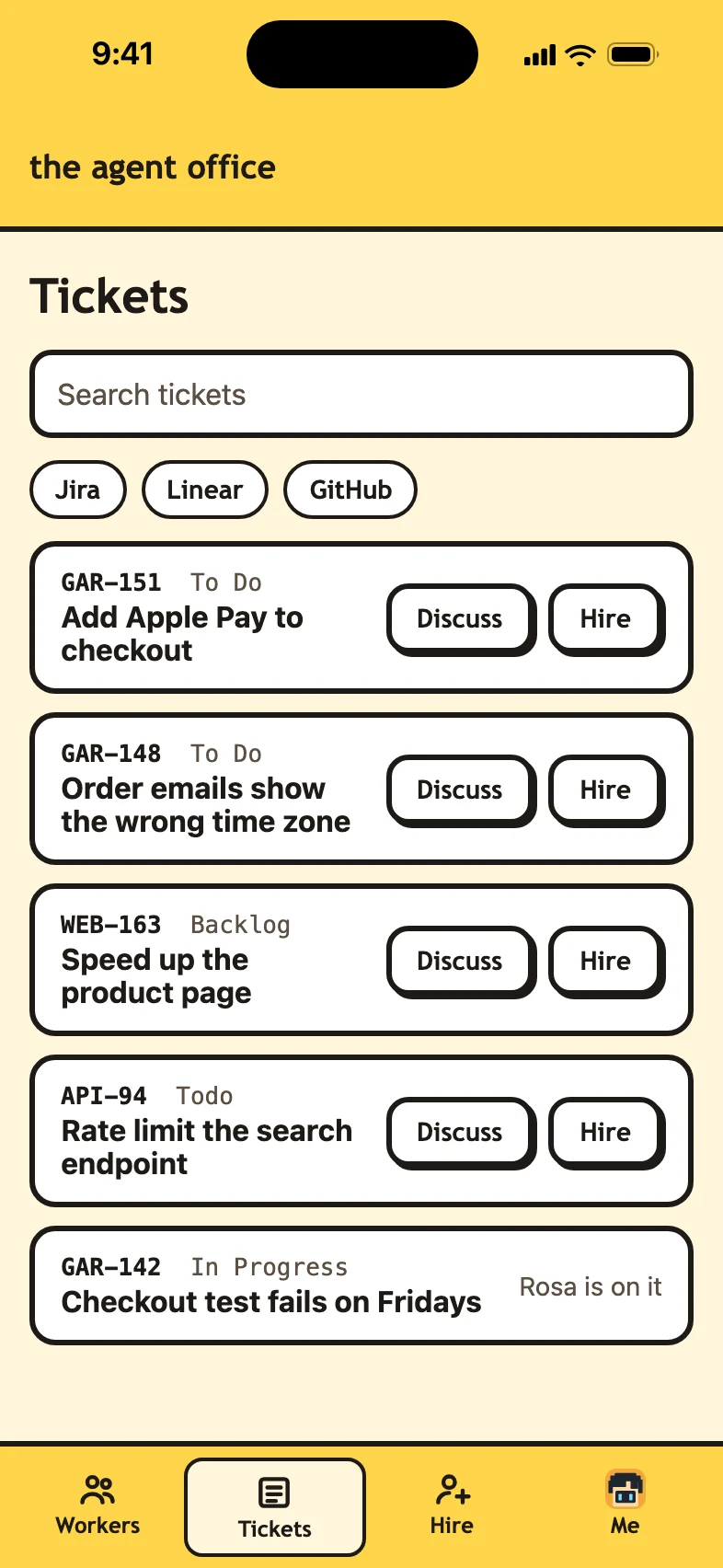
    Your Jira, Linear and 8090 tickets land on the office board. Pick one, and someone walks over to take it.

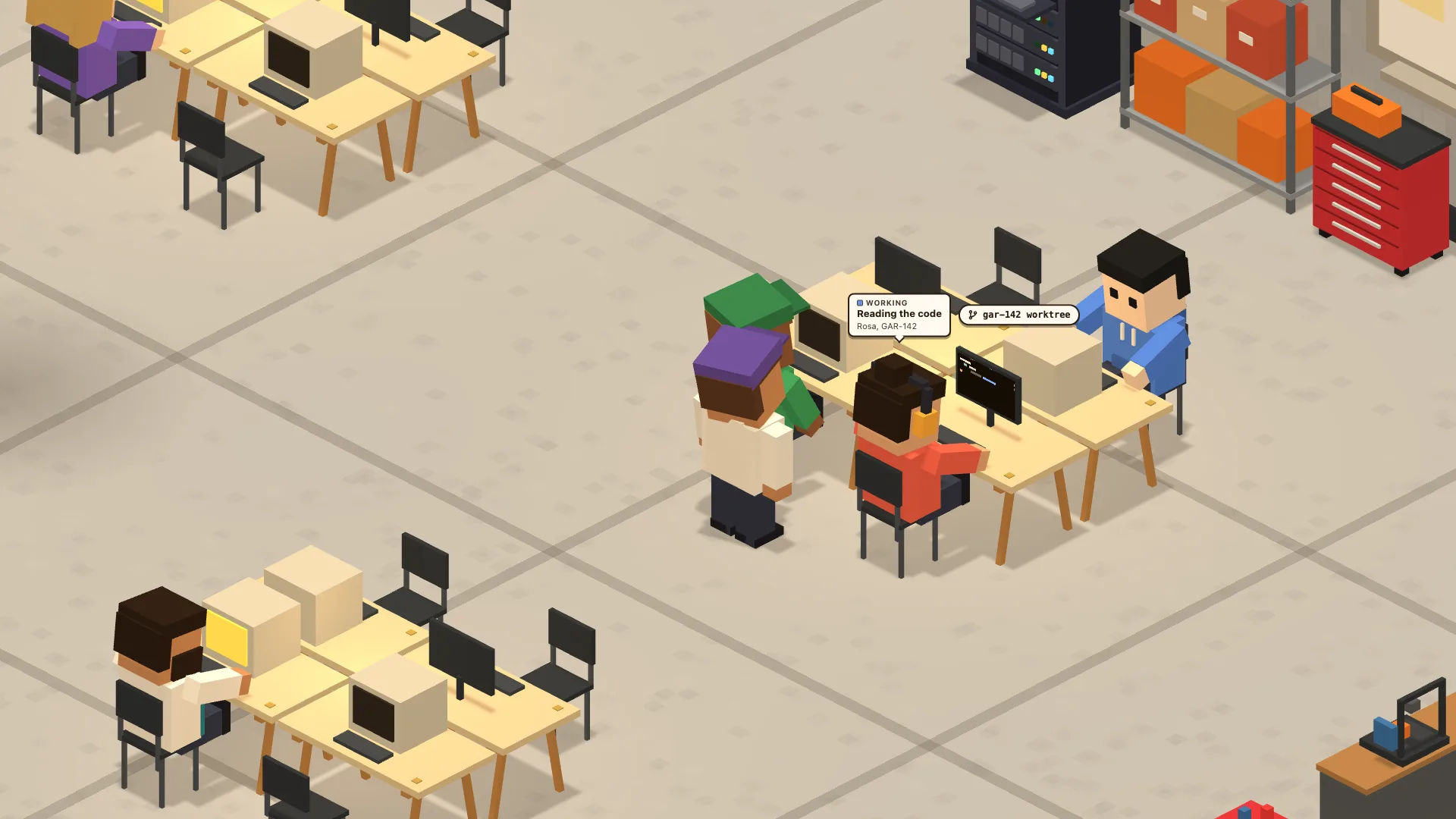
  2. 2/6

    Her own desk, her own worktree.

    Pick which agent works it. She sits down in her own git worktree, so nobody trips over anyone’s branch.

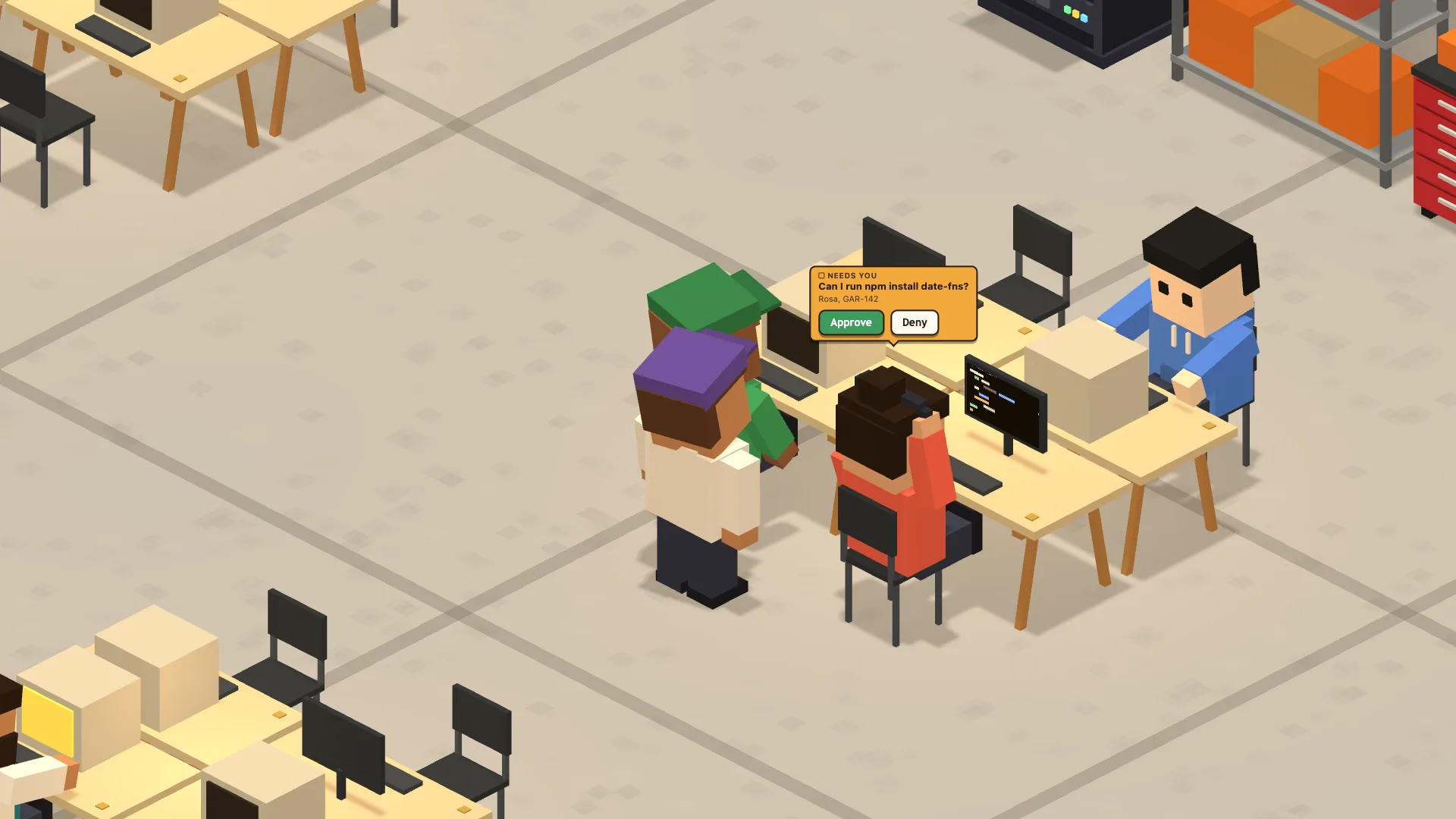
  3. 3/6

    She raises a hand when she needs you.

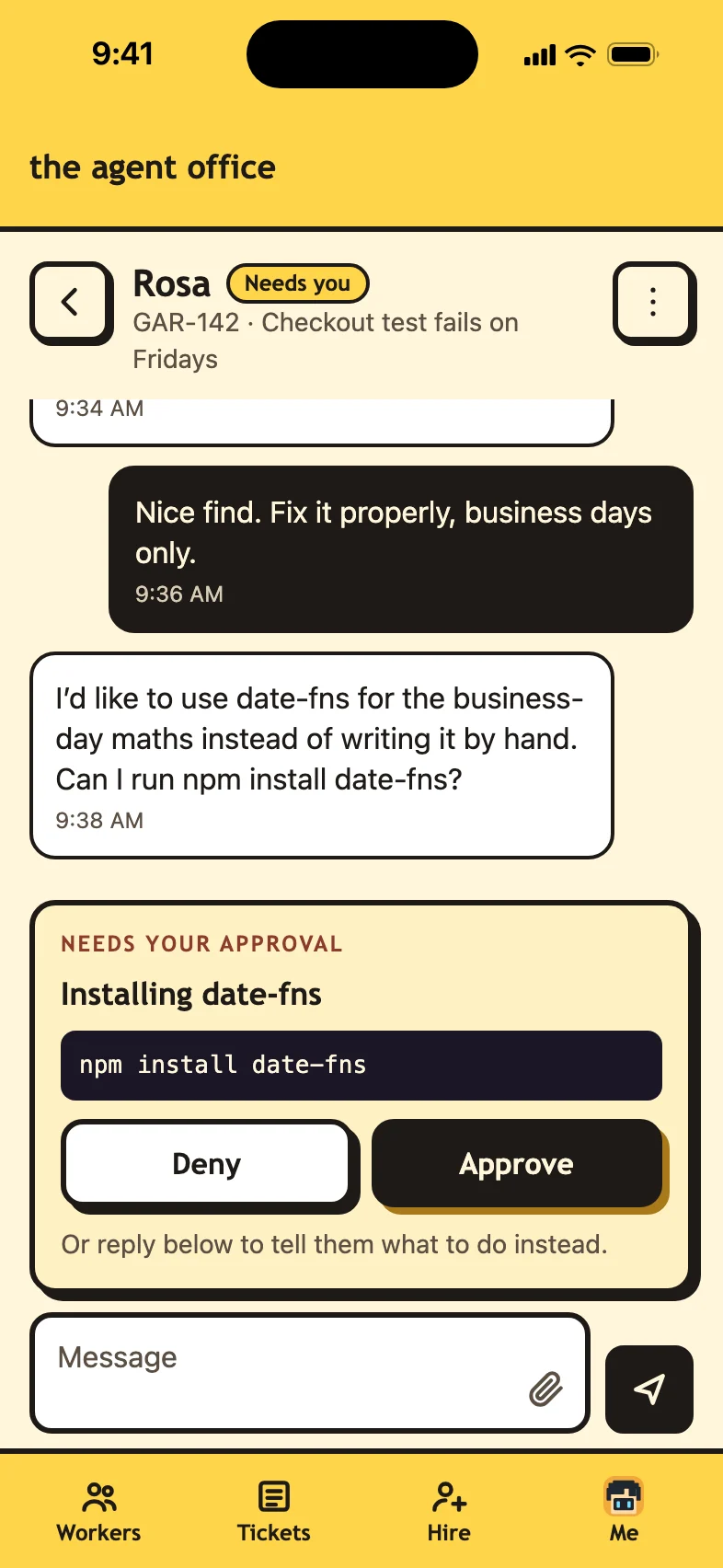
    Her question comes to you in the office, not buried in a terminal tab.

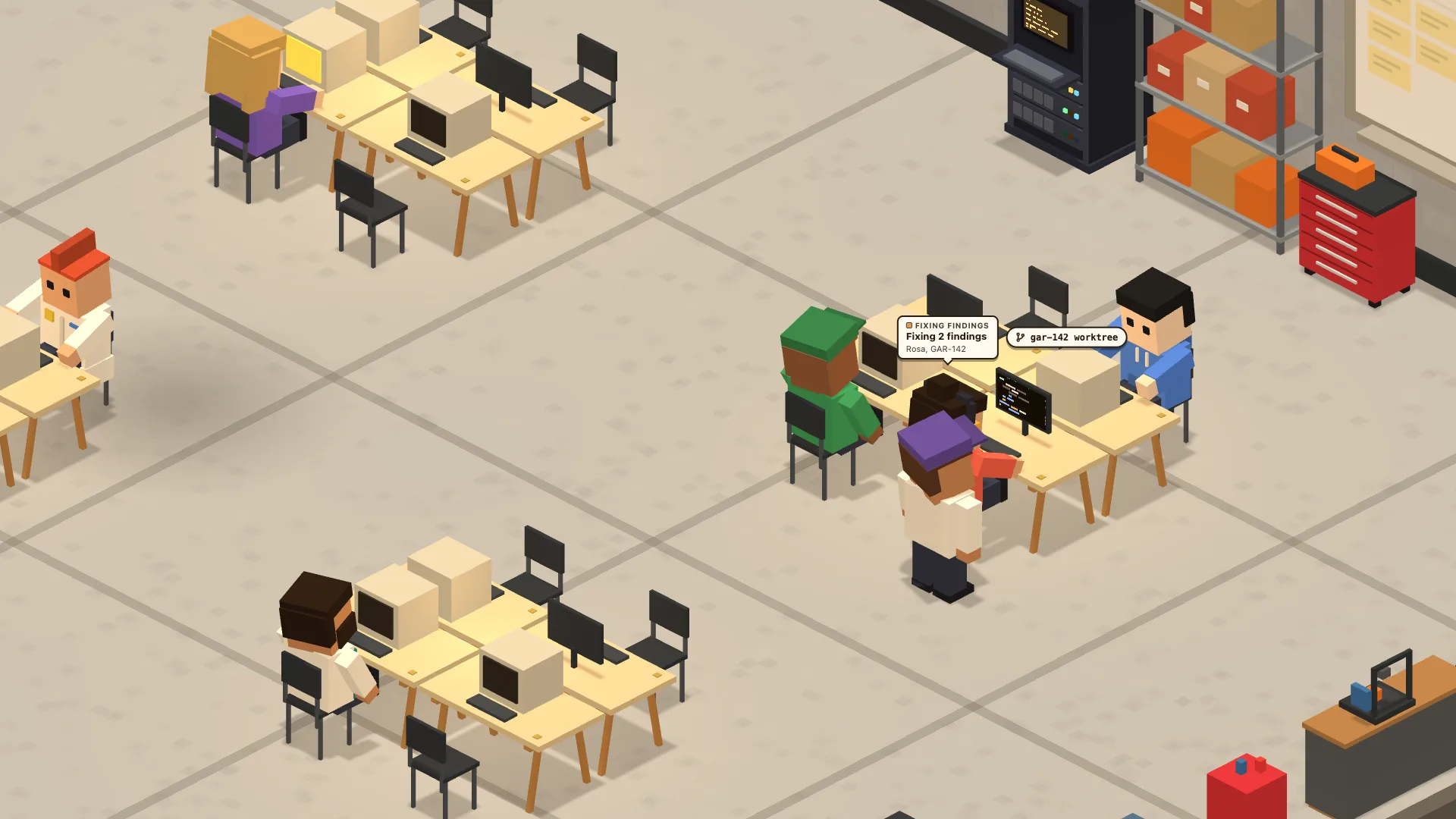
  4. 4/6

    Get a second pair of eyes.

    When the PR is risky, the Reviewer reads the diff and sends back fixes before it reaches you.

  5. 5/6

    PR out, ticket done.

    The PR and a summary post to the ticket, and the trophy cabinet fills up.

  6. 6/6

    Now do that for every ticket.

    Six agents on six tickets, all at once, each on its own branch. A hand goes up only when one needs you. 10x the work, same you.

Pick your office. Or describe one.

Six rooms and a manga mode come built in. Or describe the office you want, and it gets built for you. Publish it to the showcase and anyone can drop by.
Browse the showcase

the office in your pocket

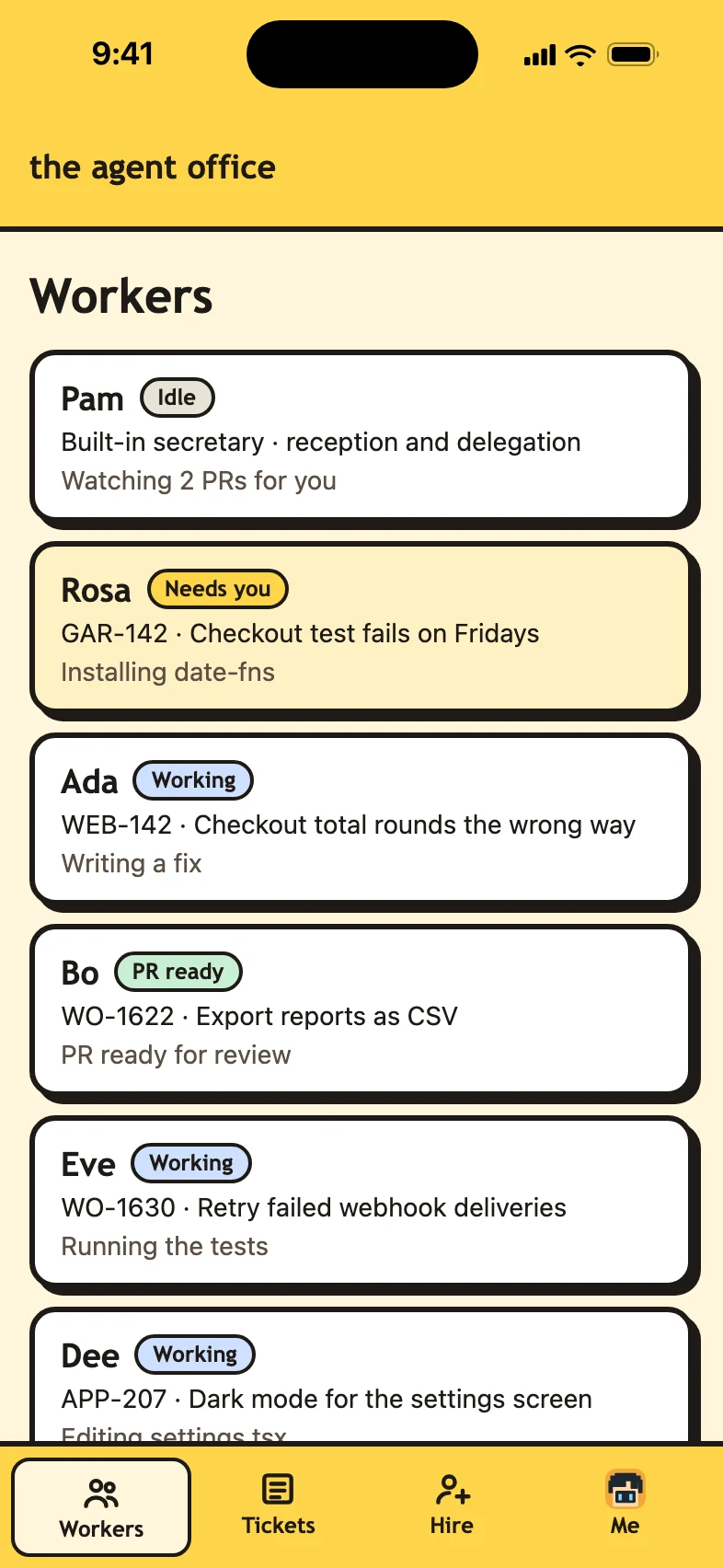
Your workers keep going when you step away. The remote control puts the whole office on your phone, so when a hand goes up, you can answer it from anywhere.

Sign in at theagentoffice.app/remote on your phone and allow it once on your Mac. Everything between the two is end-to-end encrypted, and it works even on networks that block chat apps.

Download for Mac

Also for Linux (x64): AppImage · .deb · All downloads

Download for Linux

Also as a .deb for Ubuntu and Debian, or for Mac · All downloads

Download for Windows

For Windows 11, through WSL · All downloads

The Agent Office needs a Mac with Apple Silicon (M1 or later). All downloads

Get it on your Mac or Linux computer. · Remote control for your phone · All downloads

For Apple Silicon Macs and 64-bit Linux, with a coding agent installed. On Windows 11, install with WSL.

watch the film

The launch film, 45 seconds: five agents in twelve terminal tabs become one tiny office. You hire a worker for a ticket and she walks in to her desk. You chat with her while she works, approve her database migration, and she ships the PR for XP and a trophy.

also in the office

faq

What do I need?

An Apple Silicon Mac or 64-bit Linux, git, and a coding agent you've already signed in to. On Windows 11, the Linux app runs in WSL: see the Windows guide. Tickets come from Jira, Linear, or 8090, or you can just type what you want done.

Is it free?

Yes. Download it and use it. Your agent’s own plan covers the AI.

Which coding agents does it work with?

Claude Code, Codex, Copilot and Cursor, signed in the way you already use them.

Where does my data go?

Your code and tickets stay on your Mac. Everything the office keeps, like chats, settings, and your Jira, Linear, and 8090 sign-ins, stays on your Mac in ~/.agent-office. Your agents still talk to their own AI services, the same as they do in your terminal. Read the privacy policy.

Does it want my API keys?

No. It never stores a key. Your agent uses the sign-in it already has.

Can an agent push, install, or delete on its own?

Not unless you let it. Pushes, installs, deletes, network calls, and anything outside its worktree wait for you to click Approve. Auto mode approves everything, and it stays off until you turn it on.

What happens to my repo?

Each worker gets its own git worktree and branch, so nobody works in your checkout. When a ticket is done, its worktree is cleaned up, but only once the branch is fully pushed.

Does it change my tickets?

Only when you click. Start work moves a ticket to In Progress. Marking it done posts the PR and a summary to the ticket and moves it to In Review. If an agent wants to touch a ticket itself, it asks first, unless auto mode is on.

What happens when I close the window?

The workers keep going. Quit the app to stop them.

Can I check on my workers from my phone?

Yes. Sign in at theagentoffice.app/remote on your phone and allow it once on your Mac. Then approve requests, answer questions, chat with your workers and hire for a ticket from anywhere, with a notification when someone needs you. Everything between your Mac and your phone is end-to-end encrypted.

How do I update it?

It updates itself. It checks for a new version when it opens and every six hours, and an Update button shows up in the lower-left corner when there is one.

How do I install it?

Download it, open the file and drag The Agent Office to Applications. It is signed and notarized by Apple, so it opens like any other Mac app.

How do I contact you?

Head to the contact page. It lists what to write to us about, from bugs to partnerships.

open the office

Download for Mac

Also for Linux (x64): AppImage · .deb · All downloads

Download for Linux

Also as a .deb for Ubuntu and Debian, or for Mac · All downloads

Download for Windows

For Windows 11, through WSL · All downloads

The Agent Office needs a Mac with Apple Silicon (M1 or later). All downloads

Get it on your Mac or Linux computer. · Remote control for your phone · All downloads