 the agent office
How to run multiple AI coding agents at once (without the chaos)
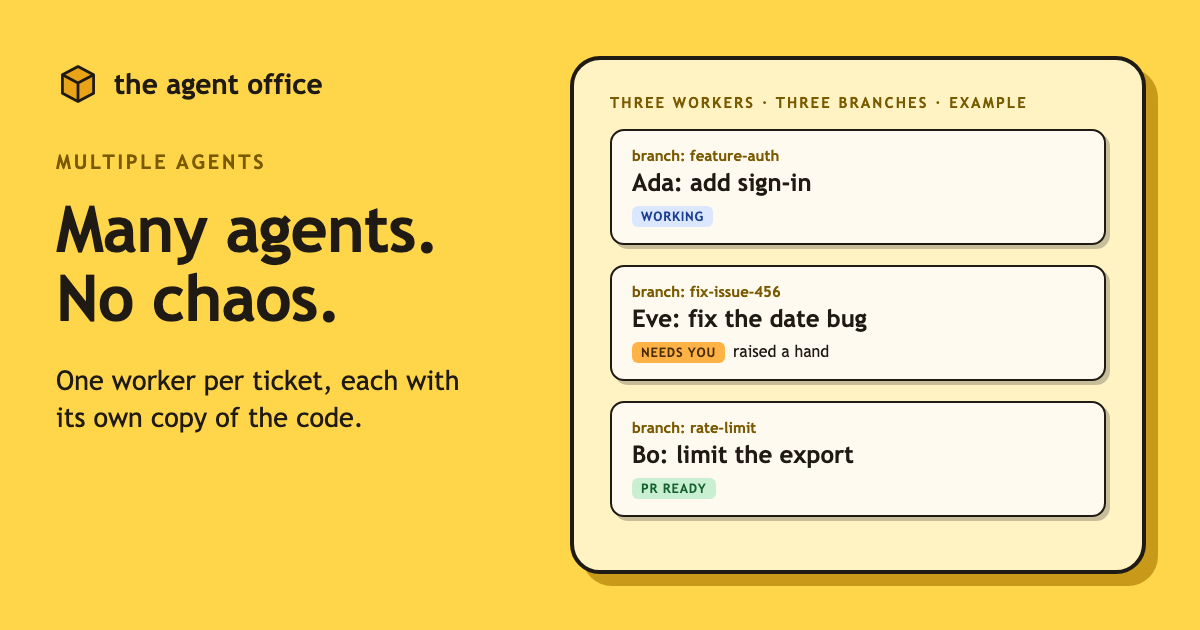
Running one coding agent is a pleasant afternoon. Running two is a productivity hack. Running three is the moment you realise you have become a dispatcher with no radio.
You look at your terminal tabs. One agent is waiting for permission to install something. One finished twenty minutes ago and has been sitting there, patient and unthanked. The third is doing something, and you could not tell me what without clicking through all of them.
This post is about running several agents at once, because it really does work. First the manual way, with the real commands. Then the point where it starts to creak, and what to do about it.
The one rule: give every agent its own checkout
Two agents editing the same folder will eventually edit the same file. One of them wins, the other one's work quietly disappears, and you find out at review time.
The fix is older than AI agents: a git worktree. It is a second working folder with its own branch, backed by the same repository and the same history. Each agent gets one, so nobody works in anyone else's files.
The manual way: one worktree and one terminal per agent
If you use Claude Code, the shortest path is its built-in flag:
claude --worktree feature-auth
That creates a worktree under .claude/worktrees/feature-auth/ at your repository root, on a new branch named worktree-feature-auth, and starts Claude in it. Open a second terminal, run the same command with a different name, and you have two isolated sessions. If you leave the name off, Claude makes one up, like bright-running-fox. (Per the current Claude Code docs, the repository needs at least one commit first.)
Prefer to control the folder and branch names yourself? Use git directly:
git worktree add ../project-feature-a -b feature-a
cd ../project-feature-a
claude
To start from a branch that already exists, leave off the -b:
git worktree add ../project-bugfix fix-issue-456
See what you have running:
git worktree list
And remove one when you are done with it:
git worktree remove ../project-feature-a
That is the whole system. It works, and plenty of people run it for months.
Two small things that save you an hour
Gitignore the worktrees folder. If you use claude --worktree, add this to .gitignore so the worktree contents do not show up as untracked files in your main checkout:
.claude/worktrees/
Carry your env files over. A worktree is a fresh checkout, so your .env is not there. Add a .worktreeinclude file at the project root, using .gitignore syntax, and Claude Code copies matching gitignored files into each worktree it creates:
.env
.env.local
config/secrets.json
You will also want to install dependencies in each new worktree, since that is a fresh checkout too.
Where it breaks at three or more agents
Nothing above is wrong. It just was not designed for a crowd. Here is where it starts to hurt.
1. Nobody knows who is doing what
Each agent lives in its own terminal tab, and the tab title is whatever your shell decided. After a coffee break you are doing archaeology: which one was the rate limiter, and which one was the flaky test?
You can keep a notes file. You can name your tabs. You will do this for about two days.
2. Approvals get buried
Agents ask before they do anything risky: a push, a package install, a delete. Good. But the question is sitting in a tab you are not looking at, and the agent does nothing until you answer. Three agents means three places a question can be waiting, and the failure mode is silent. Nothing breaks. Work just stops, and you find out an hour later.
3. Cleanup is on you
Every worktree is a folder on disk and a branch in your repository. Finish ten tasks and you own ten of each. Removing a worktree before the branch is pushed can take the only copy of the work with it. Leaving them all around makes git branch read like a graveyard. So you end up scanning a list and asking yourself which of these are safe to delete, every time.
None of this is a git problem. It is a management problem. Terminal tabs are a bad management tool, and a to-do list of agent sessions is not much better.
How to manage multiple AI agents: treat them like a team
When you manage people, you do not stand behind each of them with a clipboard. You have a list of work, you assign each item to someone, and you check in when they need you.
That is the idea behind The Agent Office. It is a small office where coding agents sit at desks, and the structure maps directly onto the problems above.
Tickets on a board. The work lives on a board, as tickets. You can pull tickets in from Linear, Jira, 8090 or GitHub Issues, or type a task straight into the office. Which one is working on what is no longer something you remember. You look at the board.
One worker per ticket, each in its own worktree. Click a ticket and a worker takes it. The worker gets its own git worktree and its own branch, so nobody works in your checkout and nobody trips over anyone else. It is the same isolation as the manual setup, minus the typing.
A plan first. The worker reads the ticket and writes a plan before it starts changing things.
A raised hand when it needs you. This is the fix for buried approvals. Pushes, installs, deletes, network calls, and anything outside its worktree wait for you to click Approve. When a worker needs an answer, it raises a hand. You do not hunt through tabs to find the one that is stuck, because the stuck one is the one waving at you.
Cleanup that checks first. When a ticket is done, its worktree is cleaned up, but only once the branch is fully pushed. The folder goes away, the work does not.
Any coding agent works. Claude Code, Codex, Copilot and Cursor are examples, and each uses the sign-in it already has. So this is not a new agent to learn. It is the agent you already use, with a manager attached.
If you want to see how a ticket source connects, the Linear walkthrough goes through it step by step.
When the manual way is fine
We sell a thing that replaces the manual way, so let us be fair about when you should not bother.
One or two agents. If you are running a main task and one side task, two terminals and claude --worktree is all you need. Do not install a management layer for a problem you do not have yet.
One-off experiments. Trying a refactor two different ways and throwing one away? A pair of worktrees and a git worktree remove is exactly the right size.
Work you want to watch closely. If you are going to sit and read every line as it happens, you are the bottleneck anyway, and more agents will not help.
The line is roughly this: when you catch yourself asking "wait, which tab was that?", you have crossed it. If you only ever have two agents on the go, you have not.
A quick checklist for any setup
Whichever way you run several agents, these habits pay off:
- One task per agent. Small, clear tickets beat vague ones. A bug with a repro is a better job than "improve the dashboard".
- One worktree per agent. Never let two agents share a folder.
- Review before anything leaves your machine. Keep pushes behind a human click.
- Push before you clean up. Check the branch is on the remote before you remove its worktree.
- Write down what each agent is for. A board, a notes file, anything. Your memory is not a system.
Try the office way
Download the app and the office opens:
Then connect a ticket source, click a ticket, and hire a worker. The second agent is easy. The sixth is when you will be glad there is a board.