 the agent office
Best AI coding tools in 2026 (free and paid)
Last updated: October 11, 2026. Prices and plans change often, so check each vendor's page before you buy.
The best AI coding tools in 2026 are Claude Code, OpenAI Codex, Gemini CLI, Cursor, GitHub Copilot and Devin. Claude Code and Codex are for engineers who live in the terminal and want an agent to carry a whole task. Gemini CLI is the best free place to start. Cursor and Copilot are for people who want the AI inside their editor. Devin is for handing work off and coming back to a finished pull request.
You do not have to pick just one. They are good at different things, and the most useful trick this year is to run several side by side. More on that below.
Terminal agents
Claude Code, Codex, Gemini CLI. You watch the agent work and step in when you want.
IDE agents
Cursor, Copilot. The AI lives in your editor and every change shows up as a diff.
Cloud agents
Devin, plus the cloud versions of Codex, Cursor and Copilot. Hand off a task, get a pull request.
The short version
| Tool | Type | Best at | Free option |
|---|---|---|---|
| Claude Code | Terminal agent | Multi-file changes you can steer | No (paid plan needed) |
| OpenAI Codex | Terminal, IDE and cloud | Well-defined tasks, many in parallel | Yes, limited |
| Gemini CLI | Terminal agent | Free, open source starting point | Yes, 1,000 requests a day |
| Cursor | IDE | Working with the AI in your editor | Yes, limited |
| GitHub Copilot | IDE and cloud | Fits the tools your team already uses | Yes, limited |
| Devin | Cloud agent | Handing off a ticket and walking away | Yes (plan details on its site) |
Terminal agents
A terminal agent runs in your command line, reads your repo, edits files and runs your tests. You watch it work, and you can step in at any point. If you are comfortable in a shell, this is the style that gets the most done per prompt.
Claude Code
Claude Code is Anthropic's coding agent. It is strongest on changes that touch many files, where it has to read around, make a plan and then follow it. It asks before it does anything risky, and you can steer it as it goes.
PricingClaude Code comes with a paid Claude plan. Pro is $20 a month ($17 a month if you pay annually). Max starts at $100 a month and gives you 5x or 20x the usage of Pro.
Free tierClaude's free plan does not include Claude Code.
OpenAI Codex
Codex is OpenAI's coding agent. It comes as a command line tool, an editor extension and a cloud version, all tied to your ChatGPT account. It does well with clearly written tasks, and the cloud version lets you start several at once.
PricingCodex is included in every ChatGPT plan: Free, Go ($8 a month), Plus ($20 a month), Pro (from $100 a month) and Business ($20 per user per month).
Free tierYes. Free and Go include the command line tool and the editor extension with limited usage, but not the cloud version, which starts at Plus.
Gemini CLI
Gemini CLI is Google's open source terminal agent, released under the Apache 2.0 license. Its big draw is the free tier, which is the most generous of the tools here.
PricingSign in with a Google account and you get 60 requests a minute and 1,000 requests a day at no cost. If you need more, you can use an API key with usage-based billing, or Google's Vertex AI for teams.
Free tierYes, and it is real enough to use every day.
IDE agents
An IDE agent lives in your editor. You get suggestions as you type, a chat panel that knows your project, and an agent mode that can edit across files. This is the easiest place to start, because nothing about your workflow changes.
Cursor
Cursor is an editor built around AI from the start. It is best when you want to stay in one window, see every change as a diff and accept or reject each piece. The paid plans also include cloud agents that work in the background.
PricingIndividual plans start at $20 a month with Pro, and higher tiers (Pro+ and Ultra) give you more usage. Teams is $40 per user per month.
Free tierThe Hobby plan is free, with no credit card, but has limited agent requests.
GitHub Copilot
Copilot works inside VS Code, JetBrains, Visual Studio and Neovim, which makes it the easy pick for a team that already lives on GitHub. It has code completion, chat, code review and a coding agent that can take on issues.
PricingPro is $10 a month with unlimited completions. Pro+ is $39 a month and includes a much larger credit allowance. Max is $100 a month for heavy, sustained agent use. Business and Enterprise are priced per organization.
Free tierYes, with up to 2,000 code completions a month and a small monthly allowance of AI credits for chat and agent use. Copilot bills agent use in credits, so heavy use burns through a plan faster than completions do.
Cloud agents
A cloud agent runs somewhere else. You give it a task, it works on its own machine and it comes back with a pull request. You give up some steering and get your own attention back.
Devin
Devin is built for handing off work. You give it a ticket, it plans, writes the code and opens a pull request while you do something else. It suits well-scoped tickets with a clear definition of done.
PricingDevin has Free, Pro, Max and Teams plans you can sign up for directly, combining included usage with pay-as-you-go credits. Enterprise customers are billed in compute units under a contract. Dollar prices change, so check Devin's site.
Free tierThere is a Free plan.
The cloud versions of tools above
Codex, Cursor and Copilot each have their own cloud agent as well. If you already pay for one of them, try its cloud option before adding another tool.
Free vs paid
If you want to spend nothing, you can get a long way. Gemini CLI gives you a real agent for free every day. Cursor's Hobby plan, Copilot Free and Codex on a free ChatGPT account (command line and editor only) let you try an agent with limits. Claude Code is the exception: it needs a paid plan.
What you pay for is mostly usage. The free tiers cap how many agent requests you can make, and the paid plans raise those caps. For a few hours of agent work a week, a $20 plan covers most people. If you run agents all day, the $100 tiers from Anthropic, OpenAI, GitHub and Cursor's higher plans exist for that, and the bill depends on how much you use.
A sensible path: start with a free option, find the tool you reach for most, then pay for that one. Only add a second paid plan when you can name the job it does better.
You don't have to pick one
Most "best of" lists end by telling you to choose a winner. That misses how people actually work. The tools differ in speed, cost, how well they follow instructions and which kinds of tasks they handle well. The only way to find out which is best for your code is to try them on your own tickets.
The problem is that running several agents at once is messy. Each one needs its own copy of the repo so they do not overwrite each other, and you end up with a pile of terminal tabs and no idea who is doing what.
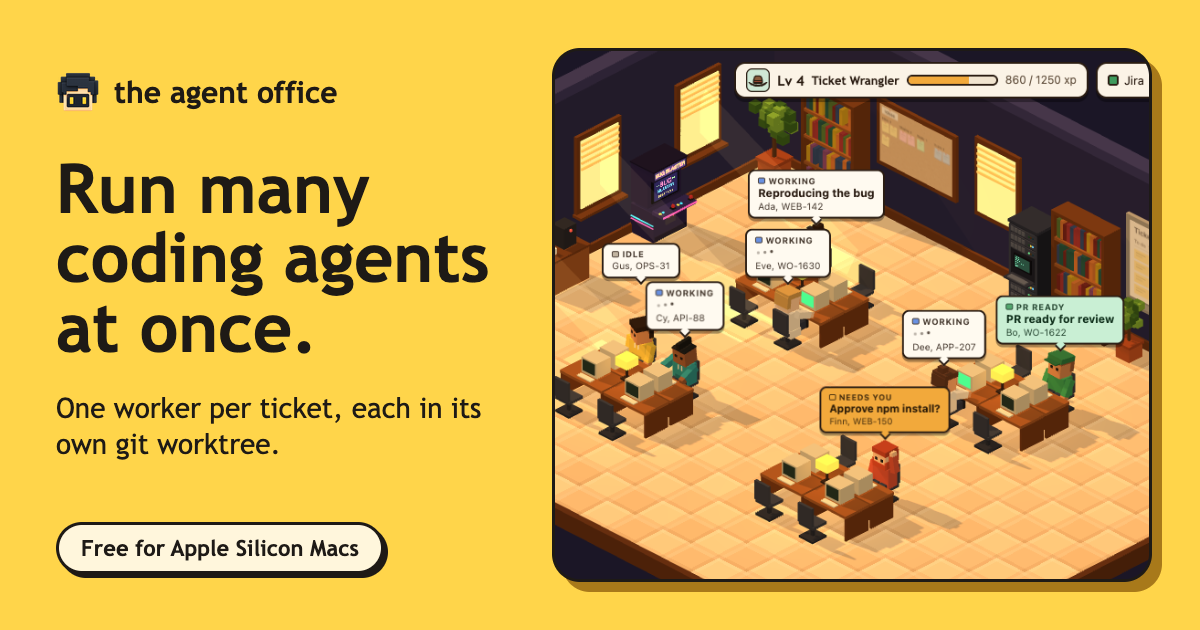
That is what The Agent Office is for. It is a small office on your Mac where each agent sits at a desk working on a ticket. Pull in your tickets from Linear, Jira, GitHub Issues or 8090, and put a different agent on each one: Claude Code on one, Codex on the next, Copilot or Cursor on another. Each worker gets its own git worktree and branch, so they never collide, and anything risky waits for your OK.
- TicketsPull them in from Linear, Jira, GitHub Issues or 8090.
- One desk eachEvery agent gets its own git worktree and branch.
- You compareReview the pull requests side by side and merge the best.
Because everything lands in one place, you can compare results on real work. Give the same kind of ticket to two different agents and look at both pull requests. Which one wrote the better tests? Which one finished first? Which one needed less hand-holding? You learn more from one week of that than from any list, including this one.
It also changes how you think about cost. Use a cheap or free agent for routine tickets, and save the paid heavyweight for the hard ones. You stay the manager, deciding what gets built, while the agents do the typing.
How to choose
Whatever you pick, expect the list to move. These tools ship new models and change their plans every few months, which is another reason not to commit to just one.